AI-Boosted Phishing in 2026: The Calm Way to Not Get Played
There’s a specific kind of message that hits when you’re busy and tired that makes your brain go, Ugh, fine, I’ll just deal with it. It might be a “package failed delivery” text, a “your account is locked” email, a fake invoice that looks almost normal, or a DM that feels like it came from …
 Evan
5 min read
Evan
5 min read
There’s a specific kind of message that hits when you’re busy and tired that makes your brain go, Ugh, fine, I’ll just deal with it. It might be a “package failed delivery” text, a “your account is locked” email, a fake invoice that looks almost normal, or a DM that feels like it came from a real person. And the scary part isn’t that these scams are brand new. The scary part is that they’re getting smoother. Not smarter in a genius way—just smoother in the “less obviously fake” way. The spelling is cleaner, the tone is more natural, the formatting looks familiar, and the message is designed to catch you in that one moment where you’re not paying full attention.
What Actually Changed
Phishing used to be easy to spot because it looked messy: broken English, weird logos, strange urgency. Now the style has improved. It’s not because scammers suddenly became professional writers—it’s because tools can generate believable messages quickly, in any tone, and tailor them to common situations (deliveries, banking, subscriptions, work logins, password resets). The result is simple: the old “spot the typo” method isn’t enough anymore. The real tell isn’t grammar. The real tell is what the message is trying to make you do next.
How These Scams Usually Hook People Now
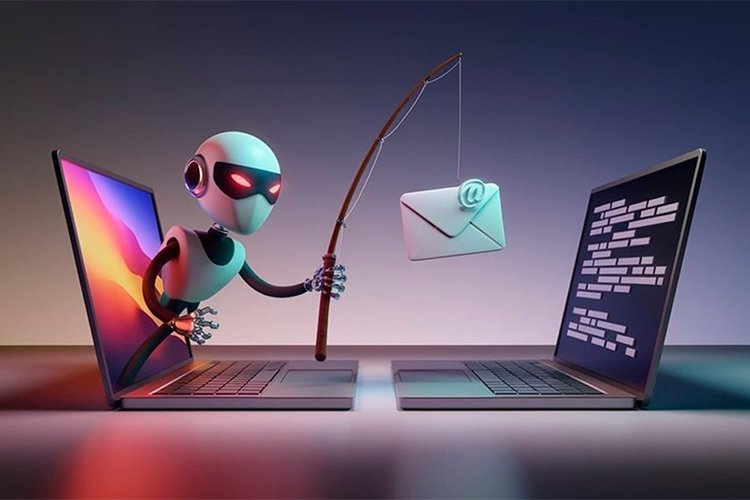
Most modern scams follow the same playbook: they create a small emotional spike (urgency, fear, excitement, embarrassment), then offer a “quick fix” that requires you to click, sign in, pay, or download something. The messages are often short on details and heavy on action: confirm now, verify now, update now, last chance, final notice. Sometimes they’ll look official. Sometimes they’ll look casual. But the goal is the same—get you to move fast so you don’t slow down and think.
The Calm Rule That Blocks Most Scams
Here’s the rule that saves people: never act from inside the message.
If a text says your bank account has an issue, you don’t use the link in the text. You open your bank app the normal way. If an email says your password expired, you don’t click “reset” inside the email. You go to the official site yourself or use your company’s official login portal. If a message says a package problem, you check your actual order page, not the random tracking link. This one habit breaks the scam’s momentum because scams depend on you staying inside their path.
The “Real-Life” Checks That Work (Even When the Email Looks Good)
Instead of searching for obvious red flags, check the mechanics:
Look at the sender the boring way. Not the display name—the actual address or number. Scammers love “almost” addresses that look right at a glance. If you have to squint, that’s your answer.
Ask: does this match how this company normally talks to me? Banks and major services rarely ask you to “confirm” sensitive info by clicking a random link. Real companies usually tell you to log in through official channels.
Check what they want. If the message is pushing you to enter a password, a code, card details, or to download something, treat it as high-risk by default.
Don’t trust screenshots as proof. People can send screenshots of “receipts,” “orders,” “warnings,” “tickets,” anything. Screenshots are not verification. Verification is you checking through official channels.
What to Do This Week (Simple Stuff That Actually Helps)
You don’t need a full cybersecurity personality. You just need a few boring upgrades that remove easy openings.
1) Turn on two-factor authentication (2FA) where it matters most.
Email first, then banking, then any account that can reset other accounts (Apple/Google/Microsoft), then social media. If someone gets your email, they can often reset everything else.
2) Use a password manager (or at least stop reusing passwords).
Reuse is the silent disaster. One breach turns into ten account takeovers. A manager feels annoying for one day, then it becomes invisible.
3) Update your device and browser when they ask.
Updates aren’t only features—they’re patching holes. Delaying updates is basically leaving a door unlocked because you don’t feel like turning the key.
4) Set a “money rule” for yourself and your team/family.
No payments, gift cards, bank changes, or “urgent invoices” happen without a second confirmation step—like a call to a known number or a message in a different app you already use.
5) Learn the 10-second pause.
If a message creates urgency, you pause. That’s it. Scams hate pauses. A pause gives your brain time to shift from reaction to decision.
If You Run a Website or Business (The Quick Version)
Phishing isn’t only “individual users getting tricked.” It’s also about someone getting one employee to hand over credentials, or clicking a fake login, or approving a fake request. The easiest protective habit for teams is the same as the personal one: don’t act from inside the message. Use known portals. Verify through official channels. Add a second step for money and access changes. And treat “new vendor bank details” messages like they’re suspicious until proven otherwise—because that’s a classic hit.
What Not to Do (Because It Backfires)
Don’t rely on “I’m good at spotting scams.” Everyone gets tired. Everyone gets rushed. The goal isn’t confidence—it’s a system that still works when you’re not at your sharpest. Also, don’t shame yourself if you almost clicked something. The right response is: close it, verify independently, move on. Your job is to reduce exposure, not to be perfect.
Final Take
AI didn’t invent scams. It just made scam messages cleaner and faster to produce, which means the old “typos = scam” rule isn’t enough anymore. The good news is you don’t need advanced security knowledge to stay safe. You need a calm process: don’t act inside the message, verify through official channels, protect your email, and add one extra confirmation step for anything involving money or account access. Most scams don’t survive a pause and a proper check—and that’s the whole point.


0 comments
Be the first to comment.