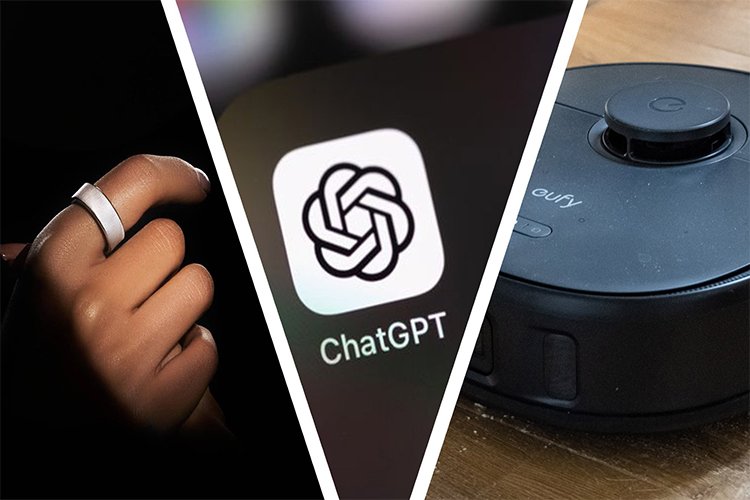
“AI in Everything” Is Official — But Which Products Actually Benefit?
There’s a moment that happens every year in tech news where a single word gets pasted onto everything like a sticker, and suddenly every product is “powered by” it. Right now that word is AI. Not “AI is coming” — AI is already here, and the shift is obvious: phones, laptops, earbuds, TVs, even small home gadgets are being sold like they’re smarter now by default. The problem is… a lot of it still feels like marketing math. So the real question isn’t “does it have AI?” The real question is: does it make your day easier in a way you’ll actually notice after the first week?
The change isn’t that companies discovered AI yesterday. The change is that AI features are now being treated like a normal product spec, the way “battery life” or “camera quality” used to be. It’s not only about big chatbots anymore either. The more practical shift is that AI is being built into everyday workflows: summarizing, searching your stuff, cleaning up audio, improving photos, auto-organizing notes, rewriting messy text, making meetings less painful, and turning “I’ll do it later” tasks into one-tap actions. The idea is simple: instead of you learning a new tool, the tool follows you inside the device you already use.
Where AI Helps for Real (The Stuff That Sticks)
Phones: AI is genuinely useful when it reduces friction—better photo cleanup, smarter search inside your own photos/messages, voice notes turning into clean text, and small “assistant” features that save time without needing you to open a separate app. The wins are usually small but frequent, which is exactly what you want on a phone. If you only use the feature once a month, it’s not a feature—it’s a demo.
Laptops: AI makes sense on laptops when it helps with writing, document cleanup, research summaries, meeting notes, and quick drafts. But the biggest difference is whether it’s fast and integrated. If the AI feature forces you into a slow workflow—copy, paste, wait, re-check—it stops being a helper and becomes another step. The laptop AI that sticks is the boring kind: it quietly saves 5 minutes, ten times a week.
Earbuds / Audio: This is one of the most “real” categories for AI because noise is a daily problem. Smarter noise reduction, clearer voice in calls, wind handling, and “focus” modes can actually improve your day. It’s not flashy, but it’s noticeable. If you take calls, commute, or work in shared spaces, good audio AI can feel like an upgrade you don’t have to think about.
Cameras / Content tools: AI is useful when it fixes mistakes: removing background noise, stabilizing shaky clips, cleaning up photos, and making low-light shots usable. The best versions feel like “the camera got better,” not “I learned a new editing workflow.” When AI becomes a button you trust, it becomes part of your routine.
Where AI Still Feels Like Fluff (The Stuff That Fades Fast)
AI becomes annoying when it tries to be clever instead of helpful. Anything that guesses your intent too aggressively can feel like it’s fighting you. Also, features that produce text or images you don’t fully trust often end up used once, then ignored—because nobody wants to fact-check their own tools every day. Another red flag is when AI requires perfect conditions to work well. If it only works when you speak slowly, in perfect lighting, with no noise, and you’re in the right mood… it’s not built for real life.
The 3 Questions That Instantly Tell You If It’s Worth It
1) Does it save time without adding steps? If you have to open a separate mode, set it up, and babysit it, it’s not a daily feature. 2) Does it work offline or at least work fast? Speed matters more than people admit. “Smart” but slow feels dumb. 3) Does it lower mental load? The best AI doesn’t make you feel like you’re managing it. It quietly removes small chores.
Why People Care (The Practical Angle)
Most people aren’t buying AI because they want futuristic vibes. They care because life is full of tiny tasks: writing emails, sorting notes, dealing with calls, cleaning up photos, finding information, managing schedules, and trying to stay organized while being tired. If AI reduces those micro-annoyances, it earns its place. If it doesn’t, it becomes one more feature you forget exists.
There’s also a trust layer now. People are paying more attention to privacy, where processing happens, and whether the device is doing the work locally or sending everything to the cloud. Even if you’re not “techy,” you can feel the difference between a tool that feels personal and safe, and a tool that feels like it’s forwarding your life somewhere else.
What to Watch Next (So You Don’t Get Sold a Demo)
The next phase isn’t “more AI features.” It’s better integration and fewer gimmicks. The winners will be the products where AI disappears into the experience: faster search, smarter cleanup, better audio, more reliable summaries, and features that don’t require you to become an expert to get value. Also watch the shift toward on-device AI and hybrid models (some tasks on-device, some in the cloud), because that affects speed, privacy, and whether features keep working when your connection is weak.
Final Take
AI in everything isn’t automatically good or bad—it’s just the new default label. The real difference is whether the AI is solving a boring daily problem in a way that feels natural. If it saves you time, reduces friction, and works without drama, it’s a real upgrade. If it feels like a novelty, requires babysitting, or makes you trust it more than you should, it won’t survive past the first week of excitement.