The CES-Tech Bucket List That’s Actually Worth Watching Prices On
Every January there’s a wave of shiny tech that looks amazing in headlines and kind of pointless by March, and the only way I stay sane is by shopping like a normal person: I don’t ask “what’s coolest,” I ask “what would I still be happy I bought after the novelty wears off?” The best CES-season buys (and the best discount-season buys) aren’t usually the flashiest; they’re the ones that quietly remove friction—better audio, faster work, fewer cables, less app chaos, fewer little annoyances. And if you run a coupon/discount site, this is exactly the sweet spot: products that people genuinely want, but don’t want to pay full price for the first week they exist.
First, I only count products that solve a daily problem, not a “cool demo” problem. Second, I try to pick categories that regularly get real price movement—launch discounts, bundle deals, “last gen” drops, or seasonal sales—because that’s where the smartest buys happen. Third, I avoid anything that feels like it will demand constant maintenance (extra apps, subscriptions, finicky setup) unless the payoff is truly worth it.
What I’d Buy (5 Picks Worth Watching Prices On)
1) An “AI laptop” that’s built for on-device features (not just a label) If you’re buying a Windows laptop this year, this is the category to watch hardest for discounts because so many models are launching close together. The practical move is to look past the marketing and focus on the hardware that enables the real stuff: a strong NPU (the chip that handles AI tasks efficiently), enough memory to keep the system smooth, and battery life that doesn’t fall apart under real use. You don’t need the most expensive model—you need the one that hits the right baseline and feels good day-to-day: screen, keyboard, thermals, and a battery that lasts.
2) A mini PC that’s “quiet power” for home office + light creative work Mini PCs are a smart price-watch category because they compete hard on specs-per-dollar and they’re constantly being discounted in bundles or limited-time promos. They’re also practical: easy to tuck away, easy to set up, and often surprisingly capable for everyday work, browsing, study, and light photo/video tasks. Even if you don’t care about AI at all, this category is worth watching because the deals can be genuinely good compared to full-size desktops.
3) AR glasses that act like a portable “big screen” (the practical version) This category sounds gimmicky until you think of it as a private external display you can carry. If you travel, work in small spaces, or just want a bigger screen without hauling a monitor, the “plug in and get a virtual display” idea can be useful in a very normal way. The reason it’s worth watching prices on is that these products often launch expensive, then you start seeing bundles, promos, and quick discounts as brands compete.
4) Noise-cancelling earbuds where call quality is the real upgrade A lot of people buy earbuds thinking about music, then realize the bigger daily win is calls: commuting noise, wind, cafés, open offices, family chaos in the background. The best buys here are the ones that handle two things well: strong noise canceling and clear voice pickup. This category is also famous for price drops during major sale windows, so it’s one of the easiest “don’t buy at full price” items.
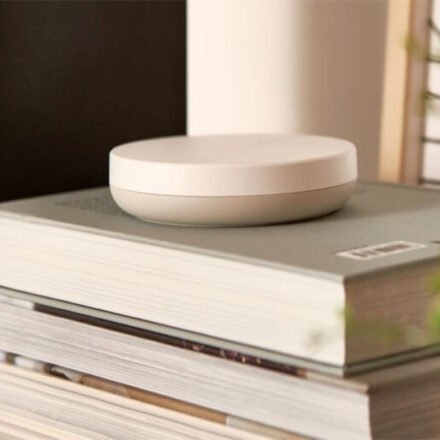
5) A smart home foundation upgrade (the boring thing that makes everything else easier) Instead of buying random smart gadgets, a smarter approach is upgrading the foundation: a hub/router setup that makes your smart home more stable and less annoying. This is where compatibility and network reliability matter more than fancy features. If your home devices disconnect often or feel “fragile,” improving the base can make lights, sensors, locks, and routines feel more dependable. It’s not the most exciting purchase, but it’s the kind that reduces daily friction for a long time.
What I’d Skip (Even If It Looks Cool on a “Top Gadgets” List)
I’d skip single-purpose “smart” gadgets that require their own app and don’t meaningfully improve your day after week one—those are the ones people abandon first. I’d also be cautious with first-gen products that rely heavily on future software promises, because even a big discount can feel expensive if the product still feels unfinished. And I’d avoid paying full price in categories that are clearly in a rapid launch cycle (like AI laptops right now), because waiting even a little often gets you either a better spec at the same price or the same spec for less.
Final Take
If you want “tech news shopping” that actually maps to real life, this is the lane: pick categories where the value is obvious (better audio, better work, smoother home setup), then watch pricing because the smartest buys usually happen after the first hype wave. The goal isn’t to own the newest thing—it’s to catch the moment a genuinely useful thing becomes a reasonable price.