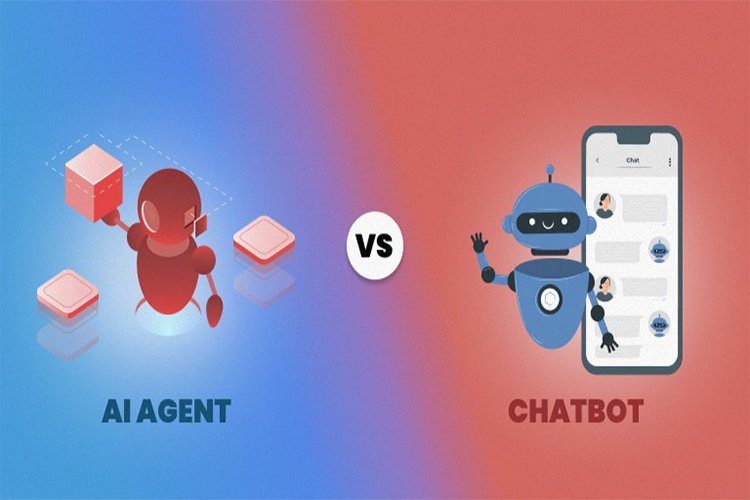
“AI Agents” Are the Next Step After Chatbots — Here’s What People Actually Mean
For a while, “AI” meant one basic thing in daily life: you type a question, you get an answer. Helpful, sometimes. Annoying, sometimes. But lately, the language has shifted. People keep saying “agents” like it’s the obvious next chapter—like chatbots were the warm-up and agents are the real product. The confusing part is that “agent” sounds like a sci-fi job title, when most of what people mean is way simpler: an AI that doesn’t just talk… it does steps.
A chatbot gives you information. An agent tries to complete a task.
Think of it like this:
A chatbot helps you write an email.
An agent helps you write the email and pull the details from your calendar and draft the subject line and suggest times and make the follow-up reminder.
An agent is usually built around three ideas:
it can follow a goal (“help me plan this”)
it can take actions in tools (calendar, email, files, browser, apps)
it can handle multiple steps without you micromanaging every click
The promise is less “smart conversation” and more “less busywork.”
What Agents Can Actually Do Well Right Now (The Useful Version)
This is where agents feel real and not just hype—when the task is structured and the steps are predictable.
1) Scheduling and coordination Finding open times, proposing options, drafting the message, and keeping the thread organized. This is boring work humans hate, which is exactly why it’s a good agent job.
2) Research with light summarizing Not “do my thinking for me,” but “gather sources, compare points, summarize what’s consistent, and highlight what’s unclear.” The value is speed + organization, not magic.
3) Document and workflow chores Turning messy notes into clean bullets, extracting action items, creating checklists, rewriting in a certain tone, or generating a first draft that you then edit.
4) Repetitive admin tasks Filling forms, copying data between tools, making small edits across multiple files, generating a consistent template, creating standard responses. Agents do best when the job is repetitive and the format is stable.
Where Agents Still Break (And Why It Matters)
This is the part people don’t say loudly in marketing: agents are powerful, but they’re not “trustworthy by default.” The biggest risks come from the same place: they can act confidently while being wrong, and they can move fast before you notice.
1) Ambiguous tasks “Plan my trip” is vague. “Find three hotels under this budget near this location with these amenities and draft an itinerary” is much safer.
2) High-stakes actions Anything involving money, security settings, account changes, or sending messages on your behalf needs guardrails. The best systems keep you in the approval loop for those steps.
3) Messy real-world constraints If the task requires judgment calls, negotiation, or reading between the lines (“is this a good deal?” “is this person serious?” “will this cause drama?”), agents can misunderstand context.
The Real Shift: It’s About “Action,” Not “Intelligence”
A lot of people hear “agent” and think it means the AI got smarter overnight. Sometimes it did. But the bigger shift is product design: companies are connecting AI to tools where it can take steps.
That’s why you see “agent” talk alongside things like:
memory/context (what it can remember to be useful)
The agent idea is basically: “Stop making me do the boring clicks.”
How to Tell If an “Agent” Feature Is Real or Just Branding
Here are the quick filters that work:
1) Can it actually take actions, or is it just suggesting actions? If it only tells you what to do, that’s still a chatbot.
2) Can it explain what it did and why? If you can’t audit it, you can’t trust it—especially for multi-step tasks.
3) Does it have clear limits and approval steps? Good agent experiences have guardrails. Bad ones feel like a magic trick you’re supposed to believe.
4) Does it save time after week one? If it’s only fun once, it’s a demo.
The Calm Way to Use Agents (Without Getting Burned)
If you want the benefits without the chaos, treat agents like an assistant, not an autopilot.
Give specific goals (“Draft a 5-point outline for X, then summarize the pros/cons”)
Let it handle low-stakes steps first (drafts, summaries, organizing)
Keep approval for anything public or irreversible (sending, purchasing, changing settings)
Ask it to show its work (what sources it used, what assumptions it made, what it couldn’t confirm)
The best workflow is: agent does the first 70%, you do the final 30%.
Final Take
“Agents” are basically AI moving from talking to doing. The good version saves time on multi-step chores you already hate. The risky version tries to act like a human decision-maker before it’s ready. If you treat agents as structured helpers—with clear tasks and approvals—they can genuinely reduce mental load. If you treat them as autopilot for messy life decisions, that’s when things get weird.